~/project · bash
# install, Node 20 or newer
$ curl -fsSL https://hostyourai.com/cli/install.sh | sh

# your router key, the input stays hidden
$ hyai login

# start in your project
$ cd your-project
$ hyai
01 Code $ hyai
Install with one command, log in with your key, and your agent runs on the router.
 GLM
 DeepSeek
 Qwen
 Kimi
 Mistral
 Llama
 gpt-oss
 Gemma
 Loes
 Nemotron
 Claude Code
 Codex
 OpenCode
 Cursor
 Cline
Loes
OpenAI SDK
 Anthropic SDK
What it does
hyai is a small open source command line. It reads the live model list, keeps your key in your system keychain and starts your agent only on models that are warm at that moment. It holds no agent of its own: it starts OpenCode by default, and Claude Code or Codex with hyai run claude or hyai run codex. You pay per token from prepaid credits.
Read more
# install, Node 20 or newer $ curl -fsSL https://hostyourai.com/cli/install.sh | sh # your router key, the input stays hidden $ hyai login # start in your project $ cd your-project $ hyai
hyai
Your code never leaves Europe
MIT licence. The install script is short and you can read it first:
hostyourai.com/cli/install.sh
Latest version 0.12.0 ·
what's new
Works with
Claude Code
Cline
opencode
Codex
Anthropic SDK
OpenAI SDK cURL
Already working with Claude Code, Cline or opencode? Then you only swap the base URL: your tool stays the same, the models behind it become open-weight models on European GPUs. No migration, no SDK switch.
hyai
hyai run claude or hyai run codex starts the same setup in Claude Code or Codexhyai doctor checks your setup line by line# keeping your own tool: Claude Code as the example - export ANTHROPIC_BASE_URL="https://api.anthropic.com" + export ANTHROPIC_BASE_URL="https://hostyourai.com" + export ANTHROPIC_AUTH_TOKEN="hyai-rt-..." + export ANTHROPIC_MODEL="qwen3.6-27b-fp8"
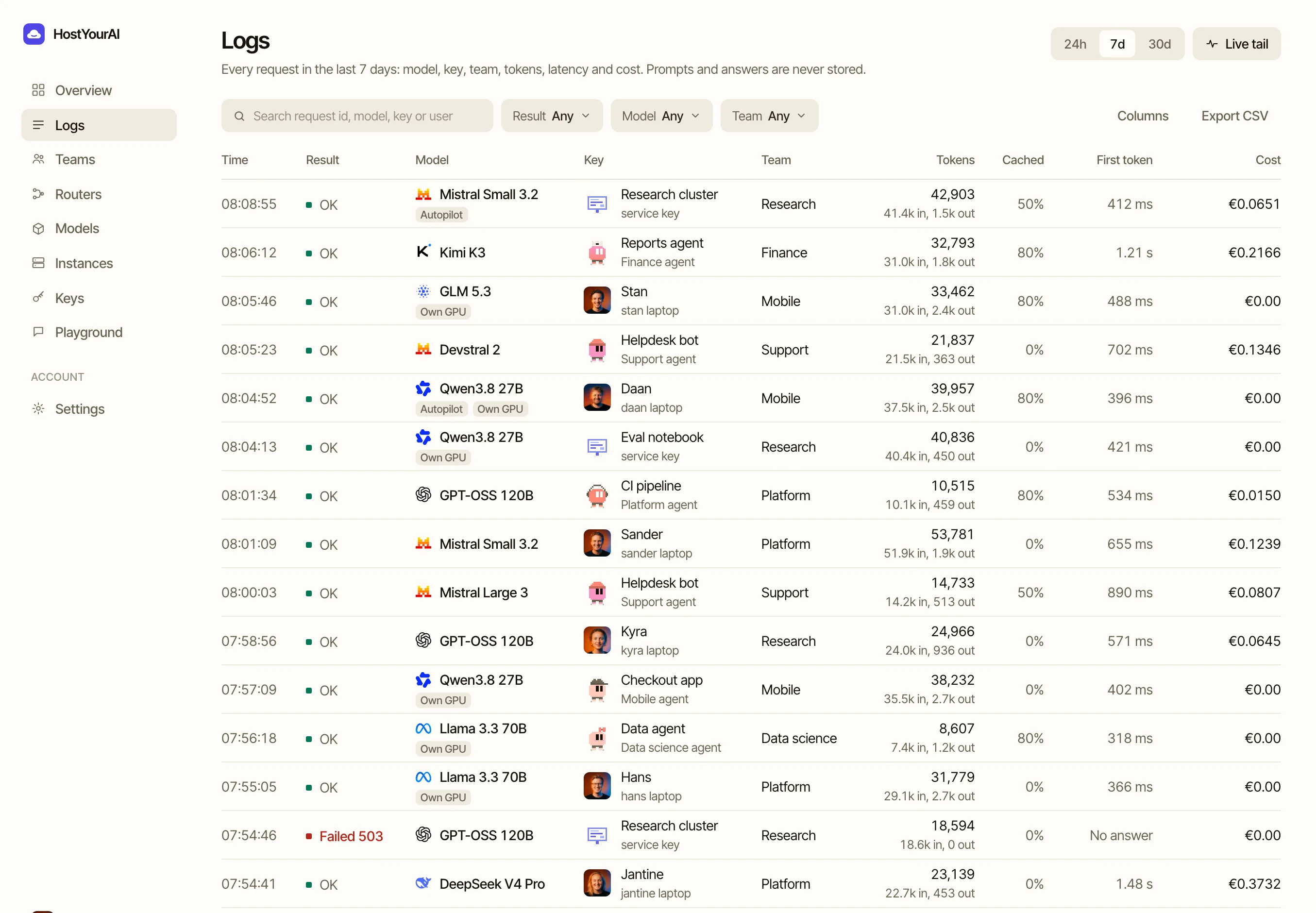
The tool in your terminal stays the same. What changes: the model that answers, and where your code goes. View the API docs
OpenCode and Codex CLI are independent open source projects and Claude Code is a product of Anthropic. None of the three is made by or affiliated with HostYourAI; you install them yourself. What you pay shows in your dashboard.
That is why you do not have to rewrite anything. A tool or SDK that talks to one of the two works with another base URL and your router key.
Anthropic API
POST /v1/messagesPOST /v1/messages/count_tokensx-api-key and Bearer authOpenAI API
POST /v1/chat/completionsGET /v1/models with live context and tool infohyai models
If you run a GPU box of your own with us, hyai sees that model in your list and starts on it by itself, in every agent. That gives you the best performance and the most security: the box works for you alone, and your code goes to hardware nobody else is on. You pay the box per hour, the tokens cost nothing on top.
With a private connection (WireGuard) on the box, the model port is closed to the public internet. If you want a shared model for a session after all, you pick it with hyai config set model. See what a box of your own costs
$ hyai models
GLM 5.2   zai-org/GLM-5.2   your own instance, billed per minute

$ hyai
hyai code: OpenCode on model zai-org/GLM-5.2
(running on your own dedicated instance)
Serve
You know which model answers, with how much context and whether it can call tools. GET /v1/models shows live what is being served, and hyai only offers the models that are warm and pass our daily tool calling test. When a better open coding model comes out, we test it and add it.
GLM 5.3tools
DeepSeek V4.1 Flashtools
Kimi K2.7 Codetools
Qwen3 Coder 30BtoolsYour prompts and code are not used to train models.
Inference runs on GPUs in the EU. Your traffic never leaves Europe, not even for logging or analytics.
A DPA is available for teams that need this on paper. Email info@hostyourai.com.
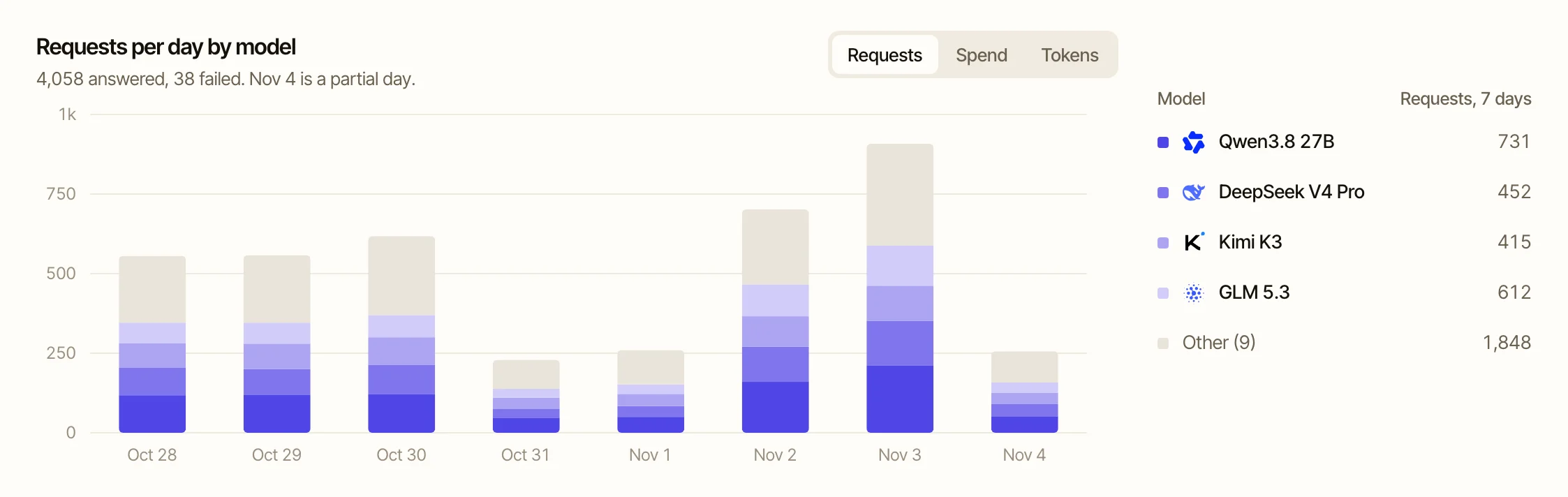
You top up credits from €5 by iDEAL or card and pay per token, priced per model. When the balance is used up the agent stops, so it can never spend more than you put in. An afternoon of work with a coding agent usually costs cents to a few euros.
Current token prices are on the pricing page.
THREE STEPS
Yes, on your own key. In a hyai session every request goes to our router. If you link your own Anthropic or OpenAI account to your HostYourAI account, those models sit in the same list next to the open models, also in the model picker of Claude Code and Codex. That provider bills you for them, we do not. hyai never picks such a model by itself; the open models stay the default.
No. hyai starts OpenCode, Claude Code or Codex for you on the router. And anything that speaks the Anthropic API or the OpenAI API keeps working with another base URL and your router key.
hyai starts on the best coding model that is warm at that moment and tells you which one and why. If you have a dedicated box of your own, it starts on that. hyai models shows the whole list with prices, and with hyai config set model you choose yourself.
hyai only uses models that are warm, so the first answer starts streaming within seconds. If you set a base URL yourself and ask for a cold model, your first question boots a GPU and takes a few minutes.
Per token from your prepaid credit balance. An afternoon with a coding agent typically costs cents to a few euros; every request shows up live in your usage.
No. No subscription; you top up whenever you want and your balance stays. And because the APIs are standard, switching back is just as easy.
Start with one layer and add the others when the work asks for it. They share one key, one balance and one Activity view.
You need a router key and Node 20. Credits from €5, no subscription.