Budgets per team and per model
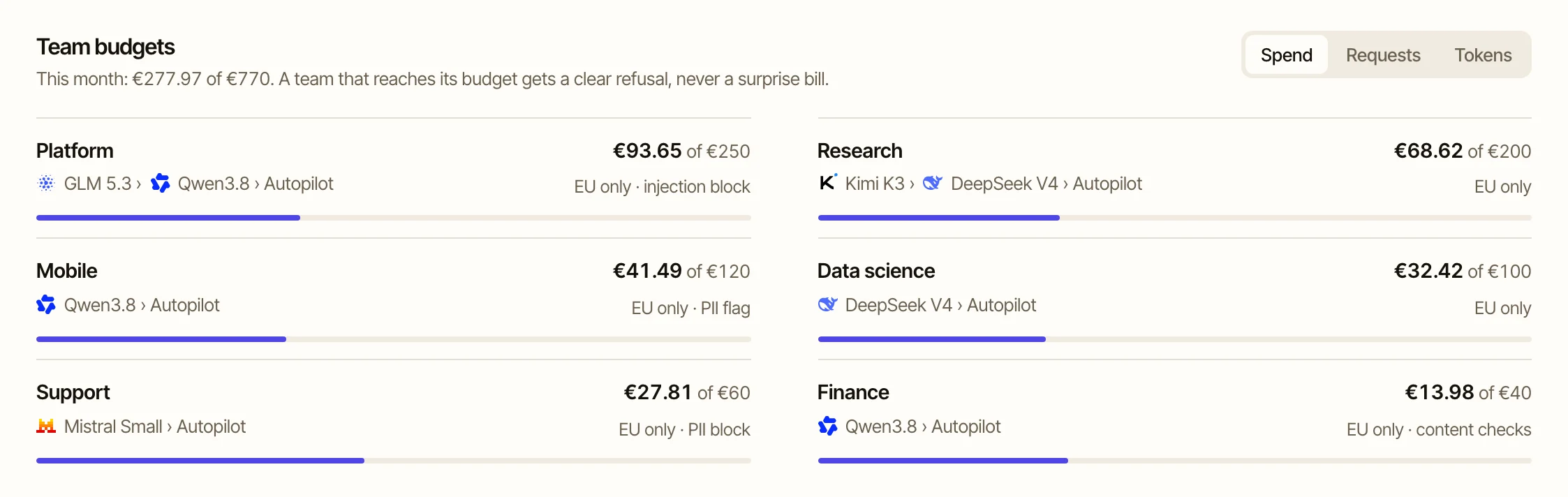
A monthly budget for the team and a cap per model inside it. Spend shows per team, per key and per model in Activity.
02 Control Keys · Budgets · Guardrails
Keys, budgets and guardrails per team, and personal data stopped before any model sees it.
 GLM
 DeepSeek
 Qwen
 Kimi
 Mistral
 Llama
 gpt-oss
 Gemma
 Loes
 Nemotron
 Claude Code
 Codex
 OpenCode
 Cursor
 Cline
Loes
OpenAI SDK
 Anthropic SDK
What it does
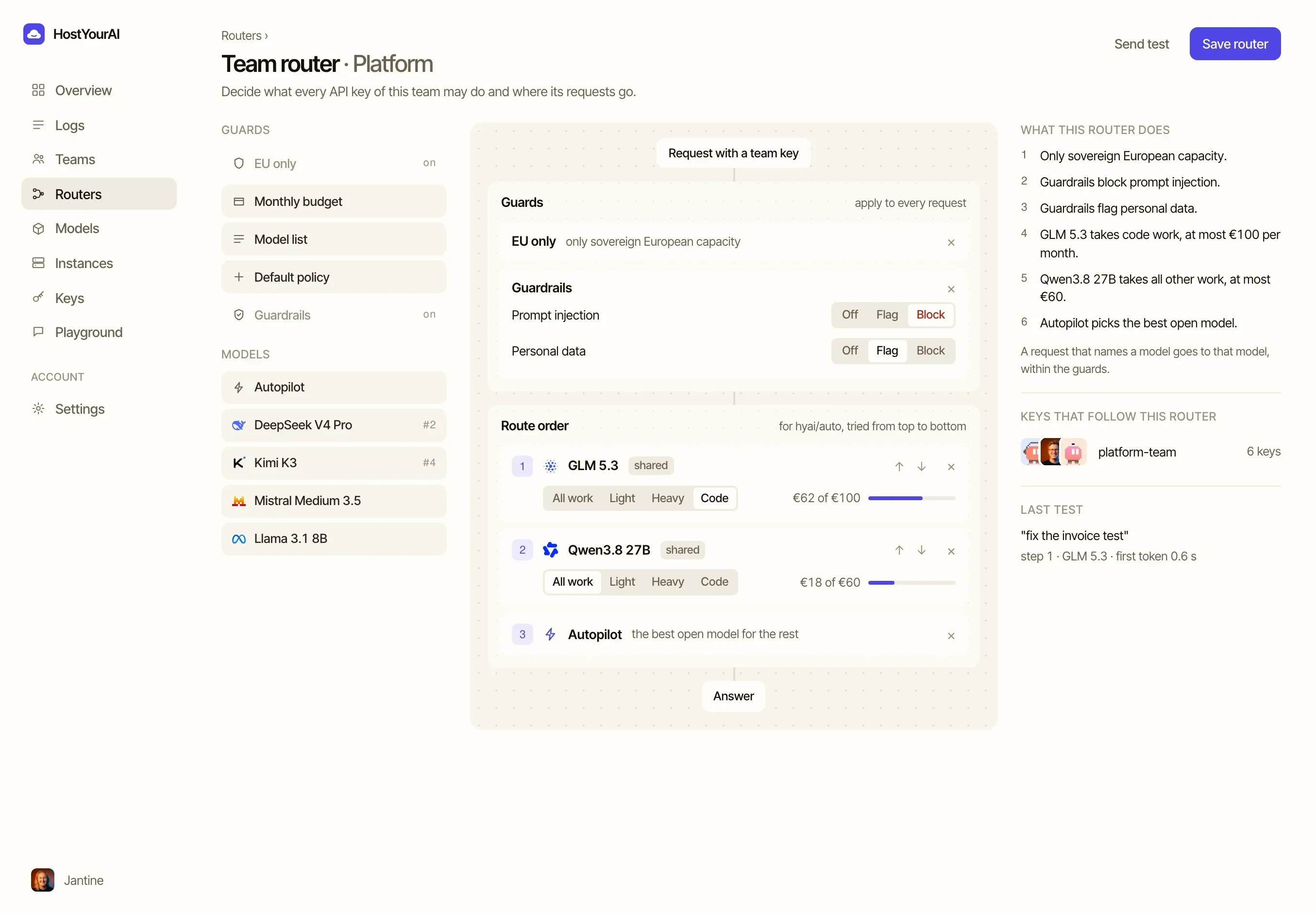
Every team gets its own router. You decide which models it may use, how much it may spend each month and whether its traffic stays in Europe. Every key you share with the team follows those rules, in the dashboard and through the API.
Guardrails check each request before a model is chosen. Personal data, prompt injection, moderation and your own blocked terms can each be switched off, flagged or blocked, per team. The prompt text itself is never stored.
The route decides who answers: your own GPUs first, a model you picked for the work, or the router's choice of the best open model for code, analysis or plain writing. When a budget is used up, new requests stop at the limit instead of running on.
Read more
Example of a team router
Monthly budget
€1,240of €2,000
62% used
GLM 5.3
Kimi K3
Claude, on your key$ curl hostyourai.com/api/v1/teams/platform/router
router platform
budget €2,000 a month, stop at limit
route best model for code
pii flag before any model
inject block
region europe, plus your own keys
✓ 14 keys now follow this routerMonthly budget
€3,520of €8,000
44% used
DeepSeek V4, your own GPUs$ curl hostyourai.com/api/v1/teams/checkout/router
router checkout
budget €8,000 a month, stop at limit
route your own gpus first
pii block before any model
inject block
region europe only
✓ 3 keys now follow this routerMonthly budget
€910of €1,000
91% used
Qwen3.8
Mistral Medium 3.5$ curl hostyourai.com/api/v1/teams/data/router
router data
budget €1,000 a month, stop at limit
route cheapest that is just as good
pii block before any model
inject flag
region europe only
✓ 6 keys now follow this routerMonthly budget
€760of €2,000
38% used
Loes
Mistral Medium 3.5$ curl hostyourai.com/api/v1/teams/support/router
router support
budget €2,000 a month, stop at limit
route loes first
pii block before any model
inject block
region europe only
✓ 4 keys now follow this routerA monthly budget for the team and a cap per model inside it. Spend shows per team, per key and per model in Activity.
Switch it on and a key only reaches machines in European data centres. The strictest rule of key and team always wins.
Names, account numbers and other personal data are checked before a model is chosen. Each team decides whether such a request is flagged or blocked.
Teams, routers and keys have their own API, so a new team can be set up from your own tooling with a personal key.
Yes. A key you share with a team follows that team's router from then on. Keys outside a team keep the settings you gave them.
New requests from that team get a clear budget error until the next month starts or you raise the budget. Requests that are already running finish.
Yes. A model on your own vendor key can sit in a team's route with a monthly token cap. Those tokens are billed by your vendor, under your own contract.
Start with one layer and add the others when the work asks for it. They share one key, one balance and one Activity view.
Create a key, add your team and choose its rules. Every request follows them from the first call.